
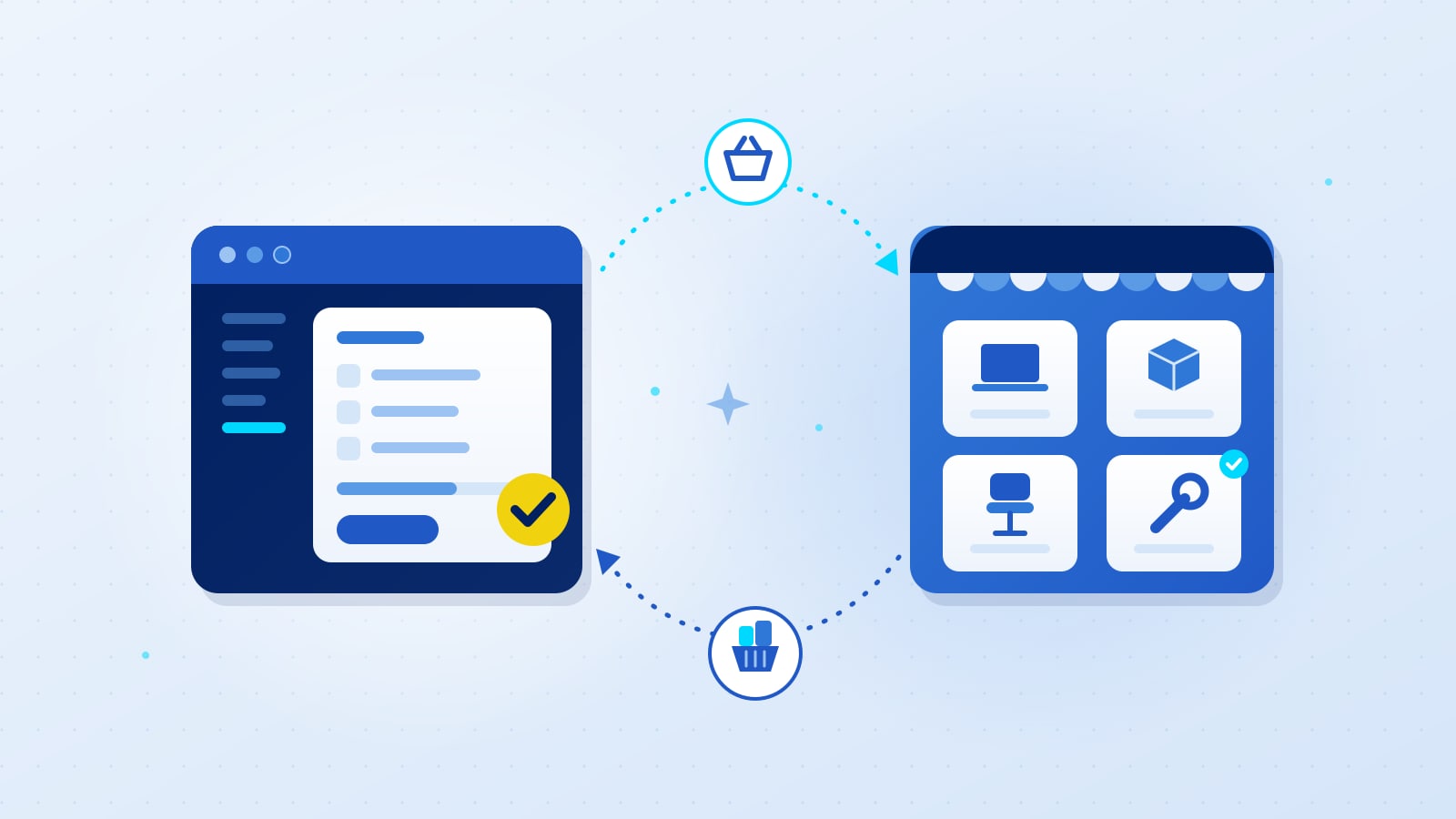
A punchout catalogue lets a requester leave your procurement system, shop on a supplier's or marketplace's site with your negotiated prices, and bring the basket back into your own system as a requisition. Nothing is ordered on the marketplace. The basket returns to your ERP, goes through your normal approval chain and budget checks, and only then becomes a purchase order. You get marketplace choice without giving up control.
What is a punchout catalogue?
Most procurement systems hold catalogues in one of two ways. A hosted catalogue is a file of items and prices loaded into your system and kept up to date by someone, usually by hand. A punchout catalogue is the opposite: the items stay on the supplier's or marketplace's site, and your system opens a session to it whenever a requester needs to buy.
From the requester's side it looks simple:
- They click a supplier or marketplace link inside the procurement system.
- They are passed through to the marketplace, already identified as your company, and see your prices and the items you have allowed.
- They search, compare and fill a basket as they would on any shopping site.
- They press the button to return the basket, and land back in your system with the items sitting in a requisition.
The word comes from that movement: the user punches out of your system and back in again.
How does the basket get back to your ERP for approval?
This is the part that matters to procurement and finance. When the requester returns the basket, the marketplace sends structured data back to your system: item descriptions, quantities, prices, units, supplier details and the codes your system needs. Your system turns that into a requisition line, exactly as if the requester had typed it in.
From there the marketplace is out of the picture until there is an order to fulfil:
- Approval. The requisition follows your own approval chain. The same approvers, the same thresholds, the same delegation rules.
- Budget. Cost centre, GL code and budget checks run in your ERP, not on the marketplace.
- Purchase order. Only after approval does your system issue the purchase order, which is sent back to the supplier or marketplace for fulfilment.
- Invoice and payment. The invoice matches against that purchase order in your normal process.
So a punchout catalogue changes where people choose what to buy. It does not change who approves it, which budget it hits or how it is paid.
Why does punchout keep approvals and budgets in place?
The alternative to punchout is rarely doing without marketplaces. It is people buying on marketplaces and websites outside the system, with a corporate card or an expense claim, and procurement finding out afterwards. That spend has no approval before commitment, no budget check and often no record of who bought what from whom.
Punchout brings that buying back inside the process:
- Every purchase starts as a requisition in your system, so it is visible before money is committed.
- Approvals are not rebuilt elsewhere. You do not have to recreate your approval matrix on a supplier's site, or trust theirs.
- Prices are the ones you agreed. The marketplace shows your contracted or negotiated prices, not public ones.
- Data stays in one place. Spend reporting comes from your ERP, with the same categories and cost centres as everything else.
- Fewer hosted catalogues to maintain. Prices and availability are kept current on the marketplace side, so nobody has to reload a price file every quarter.
Which systems can connect, and how long does it take?
Punchout is a well established pattern, and the major procurement and ERP suites support it. METIS connects by punchout to SAP, SAP Ariba, Oracle, Microsoft, Coupa, Zycus and Ivalua.
A punchout integration typically takes two to three weeks, including testing. Most of that time is not technical build. It goes on agreeing the details on both sides:
- Who can punch out. Which users, roles or sites see the marketplace link.
- What they can see. The categories and items allowed, and anything blocked.
- How lines are coded. The mapping between marketplace items and your categories, units and GL codes, so the requisition arrives ready for approval rather than needing rework.
- Where orders and invoices go. How the approved purchase order reaches the supplier side, and how the invoice comes back.
- Testing. Real baskets run end to end in a test environment: punch out, return, approve, order, invoice. Edge cases such as a partly approved basket or a changed quantity are worth testing deliberately.
The work is shared between your ERP or procurement system team and the marketplace provider. Assign one owner on your side who can make decisions on coding and access, or the testing stage tends to drift.
What should you check before you switch it on?
A few questions save trouble later:
- Does the returned basket carry enough data? If approvers cannot see what is being bought and from whom, they will approve blind or reject everything.
- Are the codes right? Wrong category or GL mapping produces clean-looking spend reports that are wrong.
- What happens to price changes? Agree how a price that changes between basket and purchase order is handled.
- Who supports requesters? Someone has to help when an item cannot be found, before people go back to buying outside the system.
- What about items the marketplace does not carry? Punchout covers what is listed. One-off and specialist needs still need a route.
Where does METIS fit?
METIS gives requesters three ways to buy on one platform: a catalogue for recurring items, AI sourcing agents for one-off needs, and a Buying Desk for exceptions. It connects to your ERP or procurement suite by punchout, and the result goes through your own approval chain before the purchase order is issued with an audit trail. For the full flow, see how it works, and for the route that handles requests no catalogue covers, see what a buying desk is.
What are the practical next steps?
- Find the spend happening outside the system. Card and expense data for small purchases from marketplaces and websites is the clearest sign punchout would help.
- Confirm your system supports punchout. Ask your ERP or procurement system team which punchout setups they already run with other suppliers.
- Decide scope and access. Which users, sites and categories go first.
- Agree the coding. Map categories, units and GL codes before the build starts.
- Test with real baskets. Run every step from punchout to invoice, including the edge cases.
- Start with one business unit. Watch how many purchases move inside the process, then widen it.